
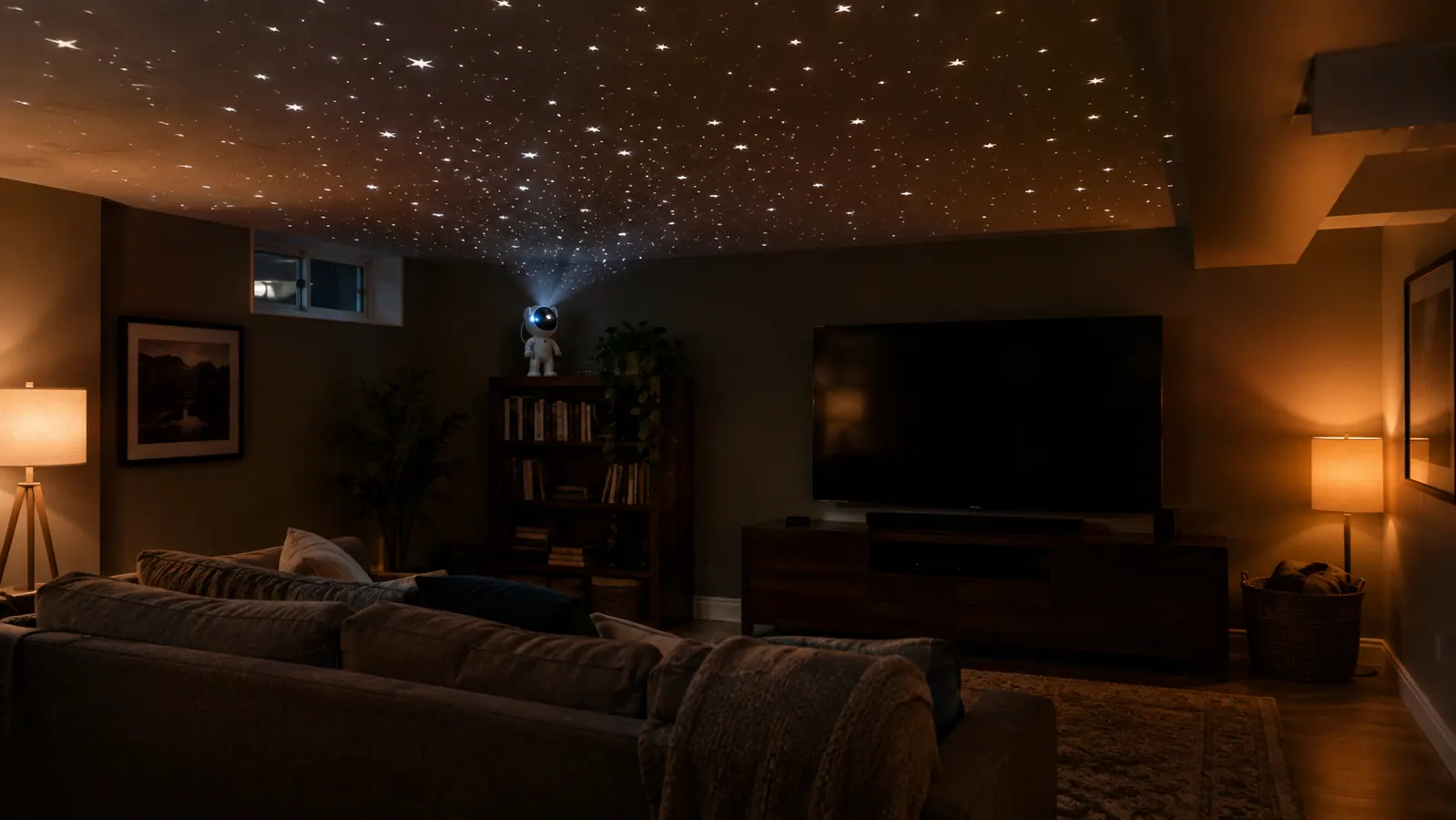
The finished basement rec room in our 1972 split-level has exactly two small windows, so every usable light down there is one I added myself. For years that meant a floor lamp with a 60-watt bulb, and it looked about as cozy as a dentist's waiting room. When I decided to do something about it for our monthly game nights, I bought a cheap galaxy projector from a big box store. The colors were muddy, the motor hummed loud enough to hear over the TV, and the remote died in about a month. I almost gave up on the whole idea. Then my husband Gary and I picked up a Mooyran astronaut projector on a whim, and I learned the hard way that most of the problems with these things are setup problems, not product problems.
This guide is the routine I settled on after three or four movie nights of fiddling with a projector that was aimed wrong, set too bright, or left running until 2 a.m. It takes about ten minutes to set up once you know the order. If you already have one of these, or you are trying to decide whether to get one for a game room, a craft corner, or a grandkid's bedroom, this is how I make mine look like a sky instead of a strip-mall sign.
The projector that finally made our basement feel like a theater
The Mooyran astronaut projector is the one I kept. It has a timer, a remote, and a wide enough beam to cover a whole ceiling. If you are shopping for a star projector, this is the one I would start with.
Amazon Check Today's Price on Amazon →Step 1: Pick the spot before you unpack the remote.
The biggest mistake I made with the first cheap projector was setting it on the coffee table, pointing at the wall. The stars looked like a fuzzy blob on one side and nothing on the other. A star projector is a ceiling light, not a wall light. It wants to sit low, close to the floor or on a shelf, and aim upward at a wide angle. In our rec room, the sweet spot turned out to be a small bookshelf against the north wall, about 20 inches off the floor. That puts the projector below the sight line from the couch, so you do not stare into the bulb, and it gives the lens room to throw the whole ceiling.
The other thing to watch is vibration. The first night I set the Mooyran on top of the TV speaker bar, and every bass note made the stars shiver. I moved it to the bookshelf, which sits on a carpet pad, and the image steadied right up. If your room has a floor that shakes when someone walks past, put the projector on a thick book or a folded towel to damp it. That sounds fussy, but it is the difference between a night sky and a jittery mess.
I also measured the throw distance because I am that person. From the bookshelf, the Mooyran covers a ceiling about 12 feet wide. If your projector is closer to the wall, the circle of stars gets smaller and brighter. If it is farther, it gets larger and dimmer. Our ceiling is a drop ceiling with those acoustic tiles, and the stars pick up the grid lines if I aim too flat. Tilting it steeper made the grid disappear. So my rule of thumb is to aim for a spot on the ceiling that is roughly twice as far forward as the projector is high.
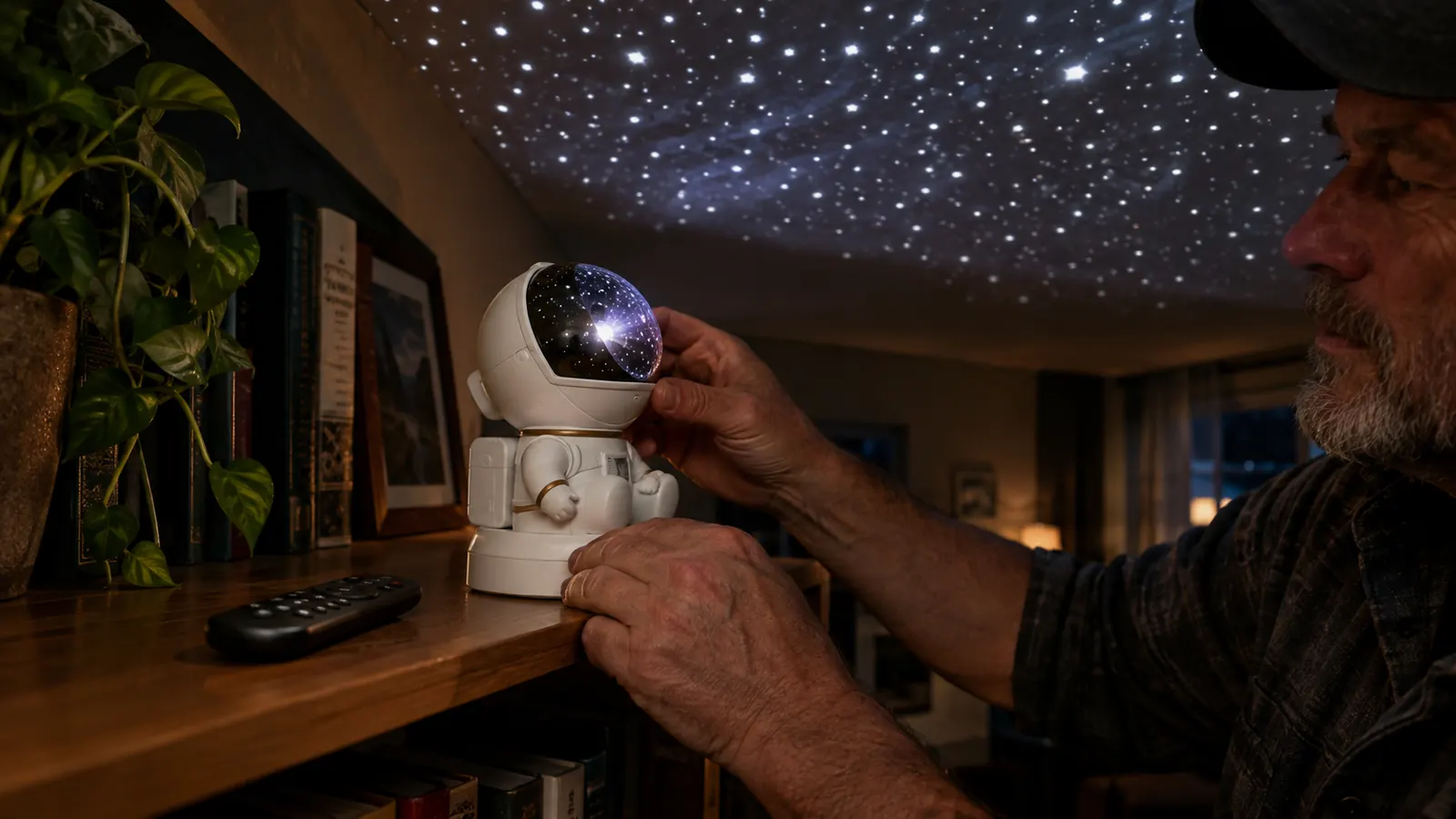
Step 2: Aim the helmet at the ceiling, not the wall.
The Mooyran is shaped like a little astronaut, which is charming until you realize the head is the lens. The stars come out of the top of the helmet, so you have to tilt the whole body back until the beam hits the ceiling at a fairly steep angle. I started with the body standing straight up, and the stars spread out like a pancake on the wall about four feet away. Tilted back to about a 60-degree angle, the same beam covered most of the 12-by-14-foot ceiling and left the walls dark. That angle took two minutes of trial and error, but it made the whole room feel like the inside of a tent.
The other reason to aim at the ceiling is that the wall behind the TV becomes a dark void, which makes the screen pop. Our TV is on a low console against the east wall. With the projector on the north bookshelf aimed at the ceiling, the wall behind the TV stays dark, and the movie screen is the only bright thing in the room. That is exactly what you want.
I also learned not to point it straight overhead. Directly overhead, the stars are sharpest right above the projector and fuzzy at the edges. A slight tilt spreads the image more evenly. If you have a popcorn ceiling, the stars will have a texture to them, which I actually like. If your ceiling is smooth, the stars look like they are floating a few feet above you. Both are fine. The point is to aim, then adjust, then leave it alone.
Step 3: Set the brightness low first, then raise it.
Every star projector I have tried comes out of the box looking like a flashlight aimed at a disco ball. The Mooyran has a brightness control on the remote, and my instinct was to crank it to the top to see the full effect. That lasted about ninety seconds before Gary said he felt like he was at a laser show. The right setting for movie night is just high enough that you can see the stars without them washing out the TV screen. On the Mooyran, that turned out to be one step above the lowest setting, maybe two if we have the main lights off.
The test I use is simple. Sit in the seat you would normally sit in during a movie. Look at the ceiling. If you notice the projector itself in your peripheral vision, it is too bright. If the stars disappear when someone turns on a small lamp, it is too dim. The sweet spot is somewhere in between, and it changes based on whether the TV is on. I preset the brightness for dark rooms and nudged it down another step when we watch a bright movie like a Marvel thing. It takes one tap on the remote, so do not overthink it.
I will also say that the remote has a whole row of color buttons, and I have tried most of them. The single-color white is the most like real starlight. The blue and purple modes are fine for a kid's room, but for a movie night they make the room feel like a bowling alley. If you are setting this up for yourself and not for a child, do yourself a favor and start with the plain white mode. You can always experiment later.
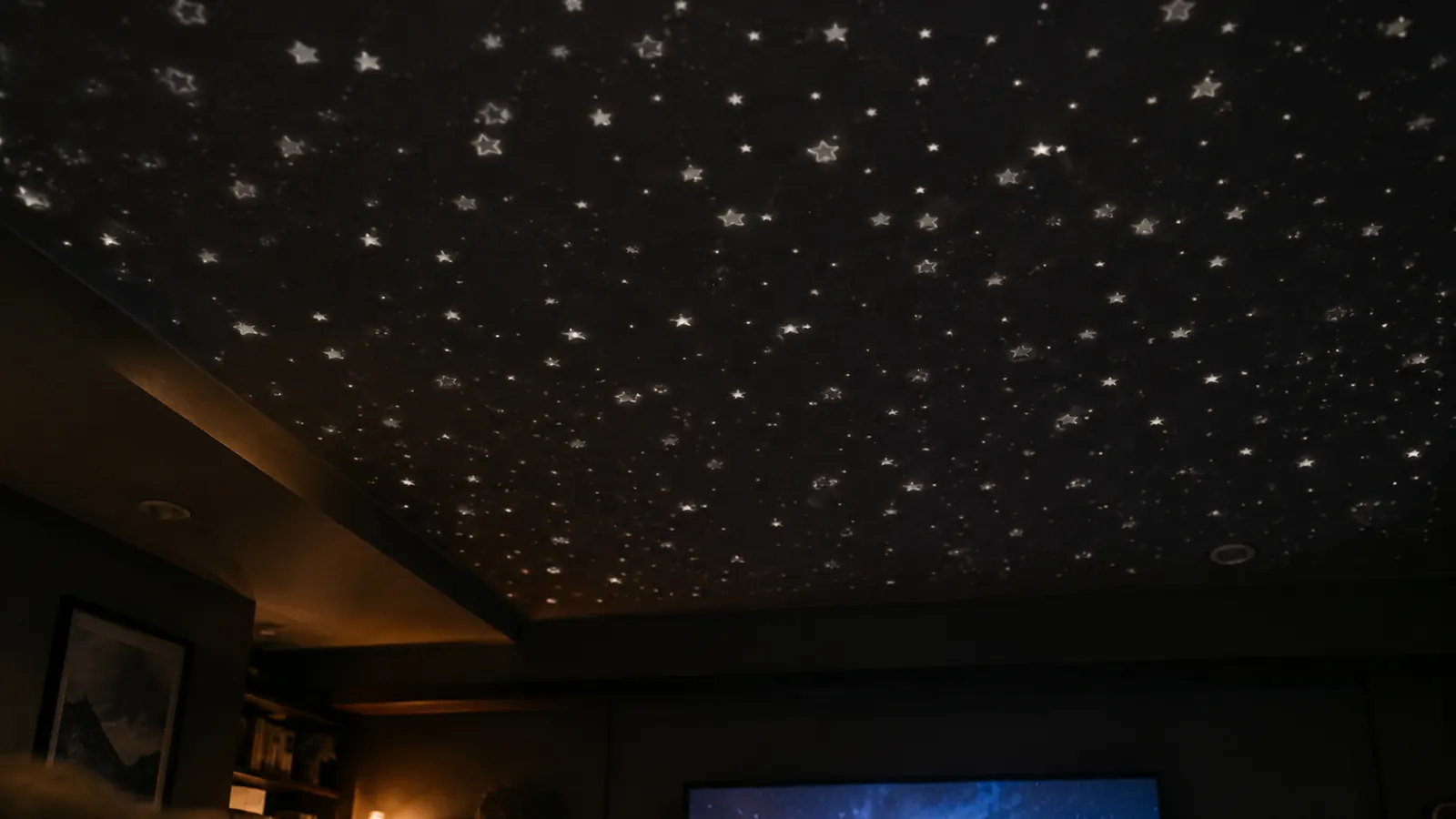
Step 4: Use the timer so it turns itself off.
The timer is the feature that saved me from getting up at 2 a.m. to turn off a sky. The Mooyran remote has a timer button that cycles through off, one hour, two hours, and maybe four hours. I set it for two hours on game night, which covers most of a movie and the credits. The first time I used it, I fell asleep on the couch after the movie ended, and the lights went off by themselves in the middle of the night. That is the entire reason to buy one of these with a timer instead of a cheap plug-in star lamp.
The other thing the timer does is protect the projector. These things generate a little heat if you leave them on overnight. I did that twice with the first cheap one, and the plastic case got warm enough to worry me. The Mooyran has an auto-shutoff, but I still set the timer as a habit. It also means Nell, my nine-year-old granddaughter, can have it on for her bedtime without me having to sneak back in and turn it off after she is asleep.
The timer button is the one on the remote that looks like a little clock, and it is the button I use more than any other. I have learned to set it before I start the movie, not after, because once the movie starts I forget everything else. I also set it for two hours specifically. One hour cuts off too early if the movie runs long, and four hours means it is still going when I am brushing my teeth. Two hours is the Goldilocks setting for a typical movie and a little conversation after.
Step 5: Keep the remote in one place and program the rotation.
The remote is small and black, and it will vanish into a couch cushion by the second use. I bought a little magnetic hook and stuck it to the side of the bookshelf where the projector lives. That is the single most useful accessory I have for this thing. When the remote is always in the same spot, you stop hunting for it, and you actually use the settings you paid for.
Then spend one afternoon fiddling with the rotation and color modes. The Mooyran can rotate slowly or sit still, and I prefer still for movie night. A rotating sky is nice for a kid's room, but it can be distracting when you are trying to watch a movie. Nell likes the two-color mode, where the stars shift between blue and purple, but Gary and I settled on a steady soft white for our own movie nights. You can argue about this as long as you want, but the only honest answer is to set it the way you like it, leave it there, and stop fiddling.
One warning about the rotation. The Mooyran's slow rotation is smooth, but the motor makes a faint hum that you will not notice until the room is quiet and you are trying to concentrate on a dialogue-heavy scene. For that reason alone, I prefer the still mode for movies. The rotation is a nice feature for a child's room, where the hum is covered by the sound of a book being read, but it is not something I use in the rec room.
What Else Helps
A star projector is not a floodlight. It is a mood light. If you want to read by it, you will be disappointed, and I say that as someone who reads in bed. For our game nights, I pair the projector with a couple of dim lamps in the corners. The lamps do the practical work, and the stars do the atmosphere. The projector alone is too dim for cards, but it is perfect for sitting on the couch and talking after everyone else has gone home.
If you are buying one as a gift for a kid, get the version with a timer and a remote, because those are the two features that make it a gift instead of a chore. A nine-year-old can work the remote, but she will not remember to turn it off. The timer means you do not have to. And if you are putting it in a bedroom, mount it on a high shelf and aim it at the ceiling, not at the pillow. A star projector pointed at someone's face all night is a very different present.
If you are the kind of person who likes a little light during the movie for finding the popcorn bowl, set the projector on a low brightness and put a small lamp on a side table. The stars will do the atmosphere, and the lamp will do the practicality. The two together beat any one light fixture I have owned.
I set the timer for two hours, fell asleep on the couch, and the stars turned themselves off in the middle of the night. That is the whole reason to buy one with a timer.
That is the whole routine. Ten minutes once, then you just tap the remote. If you are looking at a star projector and wondering whether it is worth the trouble, I would say yes, as long as you buy one with a timer and a remote, and as long as you do not expect it to light up the room. It lights up the ceiling, and that is the part everybody remembers.
Set it up once. Let it run on a timer.
If you want the same setup, start with the Mooyran. It is the projector I use for every game night and movie night, and it is the one I buy as a gift for people who deserve better than a phone app. Check today's price on Amazon.
Amazon Check Today's Price on Amazon →